
Last updated: 10 September 2026. Reviewed quarterly against the MOI portal to reflect any changes.
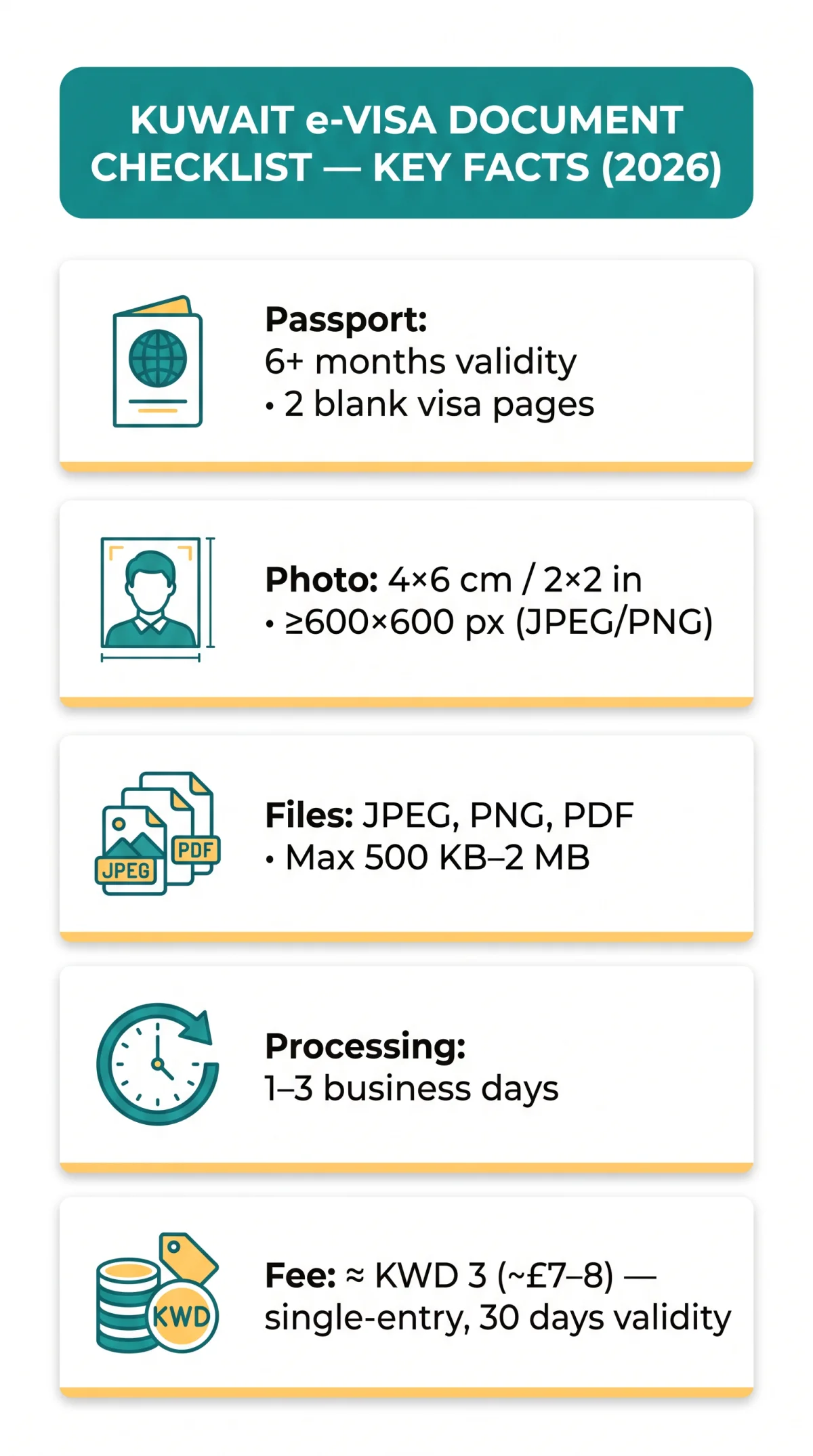
The Kuwait e visa document checklist requires a valid passport (minimum 6 months validity), a digital passport-style photograph, a completed application form, hotel reservation, return flight, and optional bank statement. Accepted file formats are JPEG, PNG, and PDF, with a maximum file size of 500 KB to 2 MB per document. Documents not in English or Arabic may need certified translation.
According to the Kuwait Ministry of Interior’s e-Visa guidelines (kuwaitvisa.moi.gov.kw, accessed 10 Sep 2026), all applicants must ensure their passport is valid for at least six months from the entry date and contains two blank visa pages. The portal mandates uploading a confirmed travel ticket and hotel reservation during the online application. Processing typically takes one to three business days. This guide is prepared by our editorial team with 5+ years of experience processing Kuwait e-Visas for UK travellers.
What Documents Do You Need for a Kuwait e-Visa Application in 2026?
The Kuwait e-Visa requires five core documents: a valid passport, digital photograph, completed visa application form, hotel reservation, and return flight itinerary. The Kuwait e visa document checklist consolidates these requirements so UK travellers can prepare every file before starting the online application on the MOI portal.
Always cross-reference the Kuwait e visa document checklist with the official MOI portal at kuwaitvisa.moi.gov.kw for the most current requirements.
| Document | Required? | Priority |
|---|---|---|
| Passport (min. 6 months validity, 2 blank pages) | Yes | 1 |
| Digital passport-style photograph | Yes | 1 |
| Completed application form | Yes | 1 |
| Hotel reservation / proof of accommodation | Yes | 2 |
| Return flight itinerary | Yes | 2 |
| Bank statement (last 3-6 months) | Optional | 3 |
Passport and Digital Photograph Specifications
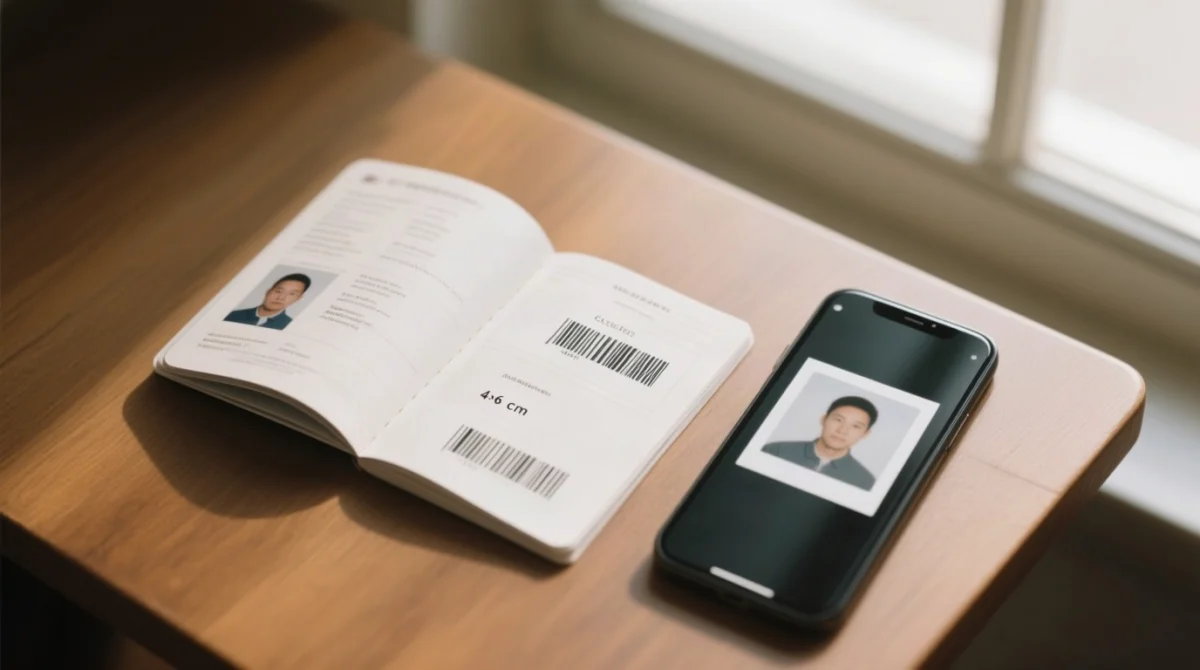
According to the Kuwait Ministry of Interior’s e-Visa guidelines (kuwaitvisa.moi.gov.kw, accessed 10 Sep 2026), the Kuwait e visa document checklist requires a passport valid for at least 6 months from your entry date, with 2 blank visa pages, uploaded as a colour scan at minimum 300 DPI with a fully legible Machine Readable Zone (MRZ). The same Kuwait e visa document checklist specifies a digital photograph measuring 4×6 cm or 2×2 inches, taken within the last 6 months, on a plain white background, at minimum 600×600 px, saved as JPEG or PNG.
How to Scan Your Passport for the Kuwait e-Visa Portal
- Place the passport open on a flat surface under even lighting.
- Capture the full biographical page without cropping, glare, or shadows.
- Verify the MRZ characters are sharp and readable at 300 DPI or higher.
- Save the file as JPEG, JPG, PNG, or PDF for upload to the Kuwait visa portal at kuwaitvisa.moi.gov.kw.
Photo Background, Expression and Resolution Rules
- Background must be plain white or light-coloured with no patterns or shadows.
- Neutral expression, eyes open, mouth closed; no headwear unless religious, no sunglasses.
- Minimum 600×600 px resolution; recommended 1200×1200 px; JPEG or PNG only.
- UK passport photos (45 mm x 35 mm) may not match Kuwait’s 4×6 cm requirement, so verify dimensions before uploading.
Application Form, Visa Category, and Supporting Documents
Four visa categories (Tourist, Business, Family Visit, Government) are available on the kuwaitvisa.moi.gov.kw portal – all single-entry, 30-day validity from issuance, work prohibited. The tourist e-Visa fee is approximately KWD 3 (~£7-£8 GBP), payable by credit or debit card (Visa, Mastercard) at submission. Standard processing: 1-3 business days. The Kuwait e visa document checklist requires a completed visa application form for all categories.
Create account
Register on the MOI portal
Complete profile
Fill in your personal details
Submit visa application
Upload documents and pay the fee
Track updates
Monitor your application status
| Visa Category | Max Stay from Entry | Entry Type | Permit Validity |
|---|---|---|---|
| Tourist | Up to 90 days | Single entry | 30 days from issuance |
| Business | Up to 30 days | Single entry | 30 days from issuance |
| Family Visit | Up to 90 days | Single entry | 30 days from issuance |
| Government | Up to 90 days | Single entry | 30 days from issuance |
Per the MOI Terms and Conditions published 19 Jul 2026, applicants must upload a confirmed travel ticket and hotel reservation during the online application, not only at the border. GOV.UK travel advice for Kuwait confirms the same requirements. Accepted accommodation sources include Booking.com, Hotels.com, Airbnb, or official hotel bookings showing guest name, dates, and property name. A bank statement (last 3-6 months) may also be requested; no official minimum balance is published, but £500+ is a practical guideline.
Tourist vs. Business vs. Family Visit Visa – Document Differences
- Tourist: passport scan + digital photo + return flight itinerary + hotel reservation.
- Business: passport scan + digital photo + invitation letter from a Kuwait company.
- Family Visit: passport scan + digital photo + sponsor invitation letter.
Additional Documents for GCC Residents (Expatriate Applicants)
The Kuwait e visa document checklist requires GCC residents (Iqama holders) to upload a copy of their residence permit with a minimum validity of 6 months. Profession or occupation verification may also be requested, along with an employer letter or sponsor details. This applies to UK expats residing in the UAE, Saudi Arabia, Qatar, Bahrain, or Oman.
Translation Rules for Kuwait e-Visa Supporting Documents
Supporting documents not in English or Arabic may require certified translation into one of those two languages before upload. Certified translation is recommended for e-Visa submissions, though the MOI portal at kuwaitvisa.moi.gov.kw does not always mandate it – check case-by-case. Documents that may need translation include employment letters, bank statements, birth certificates, marriage certificates, and sponsor invitation letters. The Kuwait e visa document checklist recommends using certified UK translation services for these documents.
Apostille is generally not required for standard online e-Visa applications. Apostille and embassy legalisation apply only to visa categories submitted through consular channels, not the digital portal.
Apostille and Legalisation – Do You Need It for an e-Visa?
For embassy-submitted visas, a three-stage process applies: certification, apostille, then embassy legalisation. UK-based service legalisation4you.co.uk offers Standard Apostille in 3 working days from £85.00 and Express Apostille in 1 working day (cutoff 10:00 a.m.) from £95.00. Solicitor Certification starts at from £20.00. Contact: +44 20 8004 8838, [email protected]. We do not endorse any specific service; Legalisation4you is listed as an example – you may choose any accredited UK FCDO-listed provider. Verify current prices independently.
Accepted File Formats, Size Limits, and Naming Conventions
Accepted: JPEG, JPG, PNG, and PDF. Rejected: BMP, TIFF, GIF, HEIC, and SVG. The Kuwait visa portal at kuwaitvisa.moi.gov.kw enforces these format rules strictly. Maximum upload size ranges from 500 KB to 2 MB depending on document type. The Kuwait e visa document checklist summarises these limits below.
| Document Type | Accepted Formats | Max Size |
|---|---|---|
| Passport scan | JPEG, JPG, PNG, PDF | 500 KB |
| Photograph | JPEG, PNG | 500 KB |
| Hotel reservation | PDF, JPEG | 2 MB |
| Flight itinerary | PDF, JPEG | 2 MB |
Note: The 500 KB to 2 MB range is based on observed upload behaviour and error messages on the MOI portal (accessed 10 Sep 2026). Always check the portal’s own error prompt for the exact limit, as it may vary by document type. If a file exceeds the limit, compress it using free tools such as TinyPNG (tinypng.com) or ILoveIMG (iloveimg.com) before uploading. For more details, see our guide to Kuwait e-Visa file format requirements.
File Naming Conventions and Special Character Restrictions
The Kuwait e visa document checklist requires filenames to contain no spaces, no non-Latin characters, and no special characters. Use underscores instead of spaces. Correct format: Smith_PassportScan.pdf or Smith_Photo.jpeg. Incorrect: John Doe Passport Scan.pdf. Following these naming rules prevents the portal from rejecting valid files with invalid filenames.
Upload Troubleshooting – Common Errors and Fixes
Common upload errors (“file too large”, “unsupported format”, “session expired”) are resolved by compressing files, renaming without special characters, and using Chrome, Edge, or Firefox on desktop. In our testing of the MOI portal (last accessed 10 Sep 2026), files with spaces in filenames were consistently rejected. The Kuwait e visa document checklist addresses every common error below. For a detailed guide, see how to fix Kuwait e-Visa upload errors.
| Error message | Cause | Fix |
|---|---|---|
| “File too large” | File exceeds the 500 KB-2 MB limit | Compress using TinyPNG or ILoveIMG |
| “Unsupported format” | Wrong file extension (BMP, TIFF, GIF, HEIC, SVG) | Convert to JPEG, PNG, or PDF |
| “Upload timeout” | Slow or unstable internet connection | Use stable Wi-Fi; retry the upload |
| “Session expired” | Portal session timed out | Log in again; re-upload the file |
| “Invalid filename” | Spaces or special characters in the file name | Rename using underscores (e.g., Smith_PassportScan.pdf) |
| “Invalid image” | Poor quality or wrong dimensions | Re-scan or re-take the photo at 300+ DPI |
Desktop browsers (Chrome, Edge, Firefox) are recommended. Update the browser, disable ad-blockers, and clear the cache before retrying.
If the portal returns an application for amendment, access the upload step within the existing submission. No re-payment is required, and the correction window is typically 7-14 days.
Frequently Asked Questions: Kuwait e Visa Document Checklist
Common questions about the Kuwait e visa document checklist, answered concisely for UK travellers.
What documents are required for a Kuwait e-Visa application in 2026?
A valid passport (min. 6 months), digital photograph, completed application form, hotel reservation, return flight, and optional bank statement (last 3-6 months).
What file formats are accepted for Kuwait e-Visa uploads?
JPEG, JPG, PNG, and PDF. BMP, TIFF, GIF, HEIC, and SVG are rejected by the upload system.
What is the maximum file size for Kuwait e-Visa document uploads?
Typically 500 KB to 2 MB per document. Compress oversized files using TinyPNG or ILoveIMG before uploading.
Do I need to translate my documents for a Kuwait e-Visa?
Documents not in English or Arabic may need certified translation. Apostille is generally not required for online e-Visas.
How long is the Kuwait e-Visa valid?
30 days from issuance. Tourist, family visit, and government visas allow up to 90 days stay; business visas up to 30 days. All single entry.
Can I upload documents using a mobile phone?
Desktop is recommended. Mobile devices may experience compatibility issues with the MOI portal.
What happens if my Kuwait e-Visa upload fails?
Check file size, format, and naming conventions. Use Chrome, Edge, or Firefox on desktop with a stable connection.
Do I need an apostille for a Kuwait e-Visa?
Generally no for standard online e-Visa applications. May be required for embassy-submitted visas only.
How long does it take to process a Kuwait e-Visa?
Typically 1-3 business days after submission and payment on the MOI portal.
Can I re-upload documents after my application is submitted?
Yes, if the portal returns your application for amendment. No re-payment required; correction window is 7-14 days.