
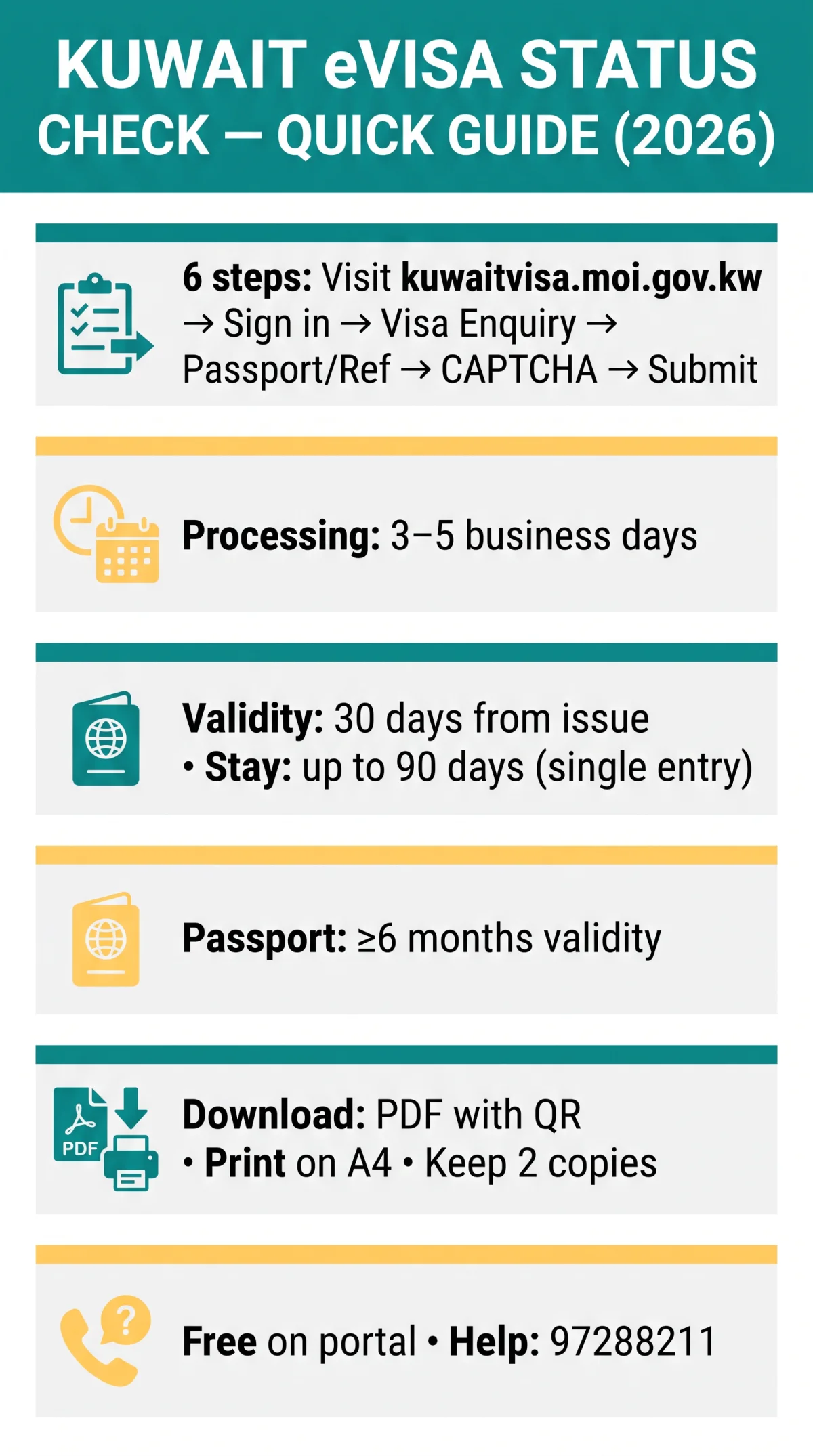
To check your Kuwait e visa status, visit the MOI portal at kuwaitvisa.moi.gov.kw, log in, and use either your passport number or application reference number in the Visa Enquiry section. Results appear instantly, showing whether your eVisa is approved, under processing, or rejected. If you haven’t yet applied, see our complete step-by-step Kuwait eVisa application guide for UK travellers.
The Kuwait visa portal is operated by the Information Systems Directorate, Ministry of Interior, State of Kuwait, and is completely free to use. The portal supports English and Arabic, uses cookies for sign-in, and the dashboard stores the approved eVisa PDF for download. The portal runs Beta Version 0.4.25, displays a 2024 copyright notice, and was last published on 19 Jul 2026.
Published: 10 September 2026. Last reviewed: 10 September 2026. This is an unofficial informational guide for UK travellers. Always verify your status directly on the MOI portal at kuwaitvisa.moi.gov.kw. We are not affiliated with the Kuwaiti government.
How to Check Kuwait eVisa Status by Passport Number – Step-by-Step (2026)
Log into the MOI portal and enter your passport details in the Visa Enquiry section. Before starting, ensure your passport validity is no less than 6 months from your date of entry.
Visit the Kuwait visa portal
Go to kuwaitvisa.moi.gov.kw.
Log into your account
Use the sign-in feature (the portal uses cookies).
Navigate to Visa Enquiry
Select the Visa Enquiry / status check option.
Enter your passport number
Provide your passport number in the required field.
Select your nationality or country of residence
Choose from the dropdown menu.
Complete the security code or CAPTCHA
Enter the code if displayed.
Click submit to view your result
Your eVisa status will appear instantly.
The result page displays your visa number, expiry date, status label (Approved, Under Processing, or Rejected), and entry type for your Kuwait eVisa application.
How to Check Kuwait eVisa Status by Reference Number – Step-by-Step (2026)
Your application reference number, sent in the MOI confirmation email after submission, is the alternative identifier for checking your Kuwait eVisa status online. The MOI Reference Number Inquiry Service is primarily targeted at residents.
Visit the portal
Open kuwaitvisa.moi.gov.kw in your browser.
Log into your account
Use the portal’s sign-in feature.
Navigate to Visa Enquiry
Select the “Visa Enquiry” / status check option.
Enter your application reference number
Use the reference number from the confirmation email sent by the MOI portal after you submitted your visa application.
Complete the security code / CAPTCHA
Enter the code if displayed.
Click submit
The status result page displays your visa number, expiry date, status label, and entry type.
Entering both your passport and reference number increases lookup accuracy.
Understanding Your Kuwait eVisa Status – What Each Label Means
The Kuwait eVisa status check returns one of five distinct labels.
| Status Label | Meaning | What to Do Next |
|---|---|---|
| Approved | Application granted; the eVisa is ready to download. | Download and print the eVisa PDF for border presentation. |
| Under Processing | Application is being reviewed by the General Department of Residency Affairs. | Wait 3-5 business days before checking again. |
| Rejected | Application has been denied. | Review rejection reasons, re-apply after correcting the issue, or contact 97288211. |
| Pending Documents | Additional supporting documents are required. | Log into your account on the portal and upload the requested files. |
| Payment Required | The visa fee has not been paid or the previous payment failed. | Complete payment through the portal to resume processing. |
How to Download and Print Your Approved Kuwait eVisa (2026)
Approved Kuwait eVisas are downloaded as PDF files containing a QR code from the MOI portal dashboard; print on A4 paper and carry at least 2 copies for border control. The visa validity period is 30 days from issuance, with a maximum stay of up to 90 days from entry on a single entry basis.
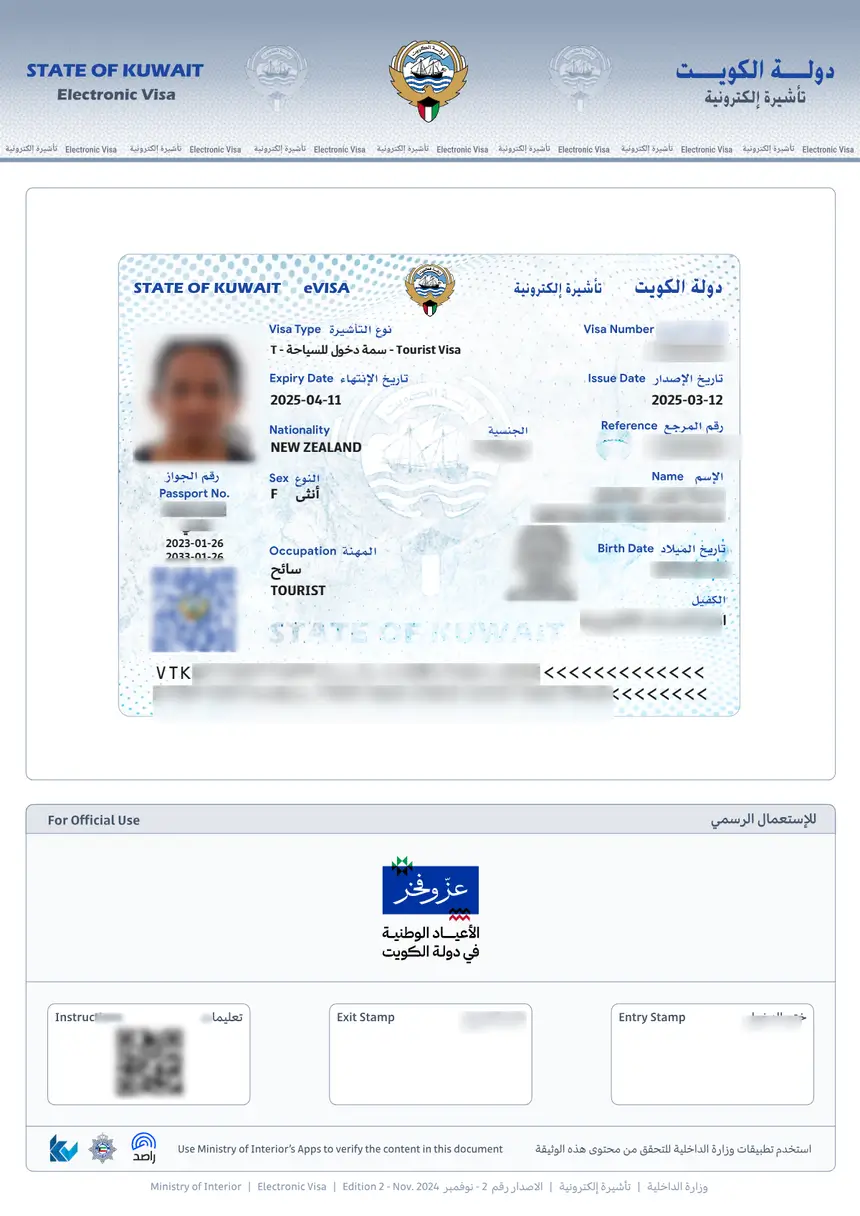
- Once your Kuwait eVisa status check returns an “Approved” result, locate the download link in your account dashboard on the MOI portal and click “Download” to save the PDF file.
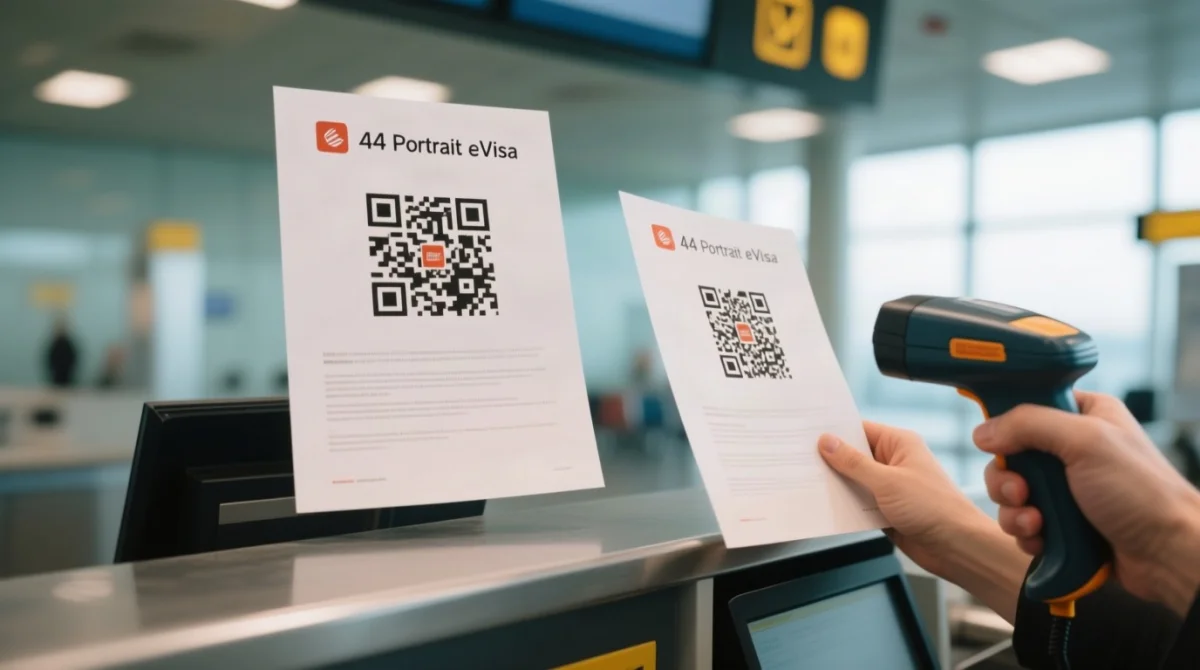
- The PDF contains a QR code for automated authenticity verification at border control.
- Save a backup copy to email or cloud storage in case the printed document is lost or damaged.
- Print the document on A4 paper in portrait orientation; colour printing is recommended for QR code readability.
- Carry at least 2 printed copies – one for border control, one as backup.
Kuwait border control requires a physical printed copy of the approved eVisa; a digital display on a phone is not accepted as a substitute. The QR code on the printed document is scanned by border officials to verify authenticity.
Kuwait eVisa Processing Time and Mobile Status Check (2026)
Kuwait eVisa processing typically takes 3-5 business days; the MOI portal is mobile-responsive and a Kuwait Visa App is available on Android.
Do not check your status within the first 3 business days of submission. Traveller reports indicate that incomplete documents, peak travel seasons, and public holidays in Kuwait can extend the timeline beyond the standard range. After 5 business days, applicants are advised to track your visa through the portal’s real-time update feature (Application Step 4: “Track real-time updates”).
The web portal at kuwaitvisa.moi.gov.kw is mobile-responsive in any browser, including on iPhone. A dedicated Kuwait Visa App is confirmed on Android via Google Play; iOS availability is listed on the MOI portal reference but not confirmed on the Apple App Store.
Troubleshooting Kuwait eVisa Status Checks – Lost Numbers and Errors
If your Kuwait eVisa status check is not working because you lost your application reference number, three recovery options exist: check the confirmation email sent after submission, log into your MOI portal account and review application history, or use the contact form on the portal and fill in the “What’s your enquiry?” field.
UK travellers have reported that the MOI portal sometimes requires entering the passport number without spaces. Rejected Kuwait eVisa applications typically result from incomplete documents, passport validity under 6 months, or prior visa violations. You can re-apply after correcting the underlying issue. For refund eligibility or further queries, contact the General Department of Residency Affairs at 97288211.
The Kuwait eVisa status check is free on the MOI portal at kuwaitvisa.moi.gov.kw. Avoid third-party services that charge fees for this process. No confirmed automatic email notifications are sent when status changes, so check manually after 3 business days.
FAQ: Kuwait eVisa Status Check
How can I check my Kuwait eVisa status using my passport number?
Visit the MOI portal at kuwaitvisa.moi.gov.kw, log in, select Visa Enquiry, enter your passport number with nationality, and submit. The result page shows your visa number, expiry date, status label, and entry type.
How can I check my Kuwait eVisa status using my reference number?
Log into the MOI portal, navigate to Visa Enquiry, enter your application reference number from the confirmation email, and submit. The result page displays your visa number, expiry date, status label, and entry type.
Is checking my Kuwait eVisa status free?
Yes, checking your Kuwait eVisa status through the MOI portal is completely free. Avoid third-party services that charge a fee for this process.
Can I check my Kuwait eVisa status on my phone?
Yes, the MOI portal is mobile-responsive in any browser. The Kuwait Visa App is available on Android via Google Play; iOS availability on the Apple App Store is not confirmed.
What does Under Processing mean for my Kuwait eVisa?
Your application is being reviewed by the General Department of Residency Affairs. Processing typically takes 3 to 5 business days. Wait for this period before checking again.
What should I do if my Kuwait eVisa is rejected?
Common rejection reasons include incomplete documents or passport validity under 6 months. Re-apply after correcting the issue. For refund eligibility, contact the General Department of Residency Affairs at 97288211.
I lost my Kuwait eVisa reference number, how can I find it?
Check the confirmation email sent after submission, log into your MOI portal account to review application history, or use the contact form on the portal to request assistance.
Does Kuwait send email notifications when my eVisa is approved?
The MOI portal requires manual status checks and does not send confirmed automatic email notifications. Bookmark the status check page and check periodically after 3 business days.
How do I know if my printed Kuwait eVisa is authentic?
The approved eVisa PDF contains a scannable QR code that border officials use for automated authenticity verification. Do not rely on third-party verification services.
Is a printed copy of my Kuwait eVisa required at border control?
Yes, Kuwait border control requires a physical printed copy on A4 paper. A digital display on your phone is not accepted. Carry at least 2 printed copies.
To perform a Kuwait e visa status check in 2026, visit the MOI portal at kuwaitvisa.moi.gov.kw, log in, and select “Visa Enquiry.” Enter your passport number or application reference number with your nationality, then submit. Your status (Approved, Under Processing, or Rejected) appears instantly. Download the approved eVisa as PDF and print on A4 paper for border control.